
Download eBooks Reader – Free Kindle eBook Viewer for Windows, Mac & Linux
Overview
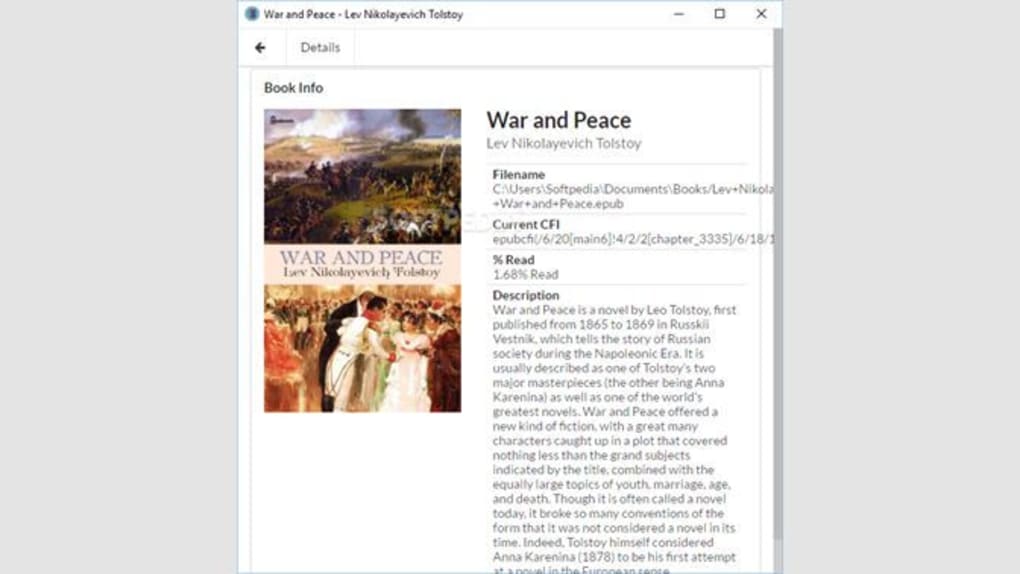
eBooks Reader is a lightweight, cross‑platform application that lets you open and enjoy Kindle‑format books without needing a physical device. Designed with a clean, distraction‑free interface, the software mimics the familiar Kindle experience while adding flexible layout options that work on Windows, macOS, and Linux desktops. After you sign in with your Amazon credentials, the program syncs your cloud library, letting you pick up right where you left off on any computer.
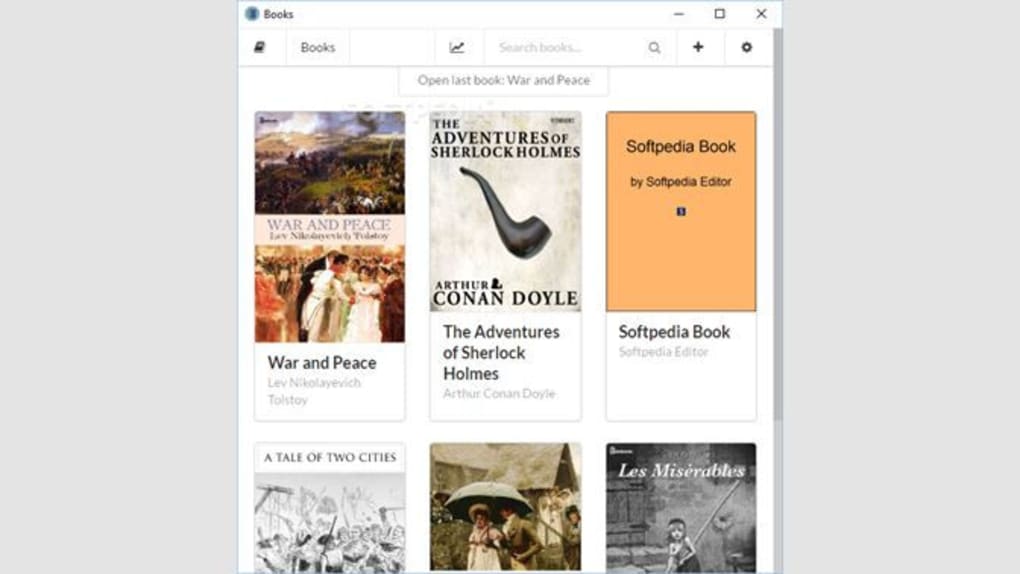
The reader supports popular e‑book formats such as MOBI, AZW, AZW3, and even ePUB, giving you the freedom to combine Kindle purchases with other digital titles in a single library. Because the app runs locally, you can read offline after the initial download—perfect for travel, commutes, or places with spotty Wi‑Fi. Security is a core focus; the software never stores your password in plain text and communicates with Amazon’s servers over encrypted HTTPS connections.
Updates are delivered automatically, ensuring you always have the latest format support and bug fixes. Whether you are a student juggling textbooks, a novelist researching on the go, or a casual reader looking for a comfortable night‑time experience, eBooks Reader provides a free, secure, and highly customizable solution that brings your Kindle collection to the desktop.
Key Features of eBooks Reader
- Cross‑Platform Compatibility – Runs natively on Windows 10/11, macOS 10.15+, and major Linux distributions.
- Multiple Format Support – Opens MOBI, AZW, AZW3, KF8, PDF, and ePUB files without third‑party plugins.
- Amazon Cloud Sync – Seamlessly syncs bookmarks, notes, and reading position across all devices via your Amazon account.
- Customizable Reading Experience – Adjust font size, line spacing, margins, background color, and toggle night‑mode with a single click.
- Offline Reading – Download titles for offline access, ideal for travel or low‑bandwidth environments.
- Advanced Search & Highlighting – Find keywords instantly and highlight passages for later reference.
- Secure Login – Uses OAuth‑based authentication; credentials are never stored locally.
- Automatic Updates – Background update service keeps the app current with the latest Kindle format changes.
- Lightweight Design – Consumes less than 100 MB of RAM and starts in under three seconds.
- Free of Charge – No subscription fees; all core features are available for free.
Installation, Compatibility, and How to Use eBooks Reader
Step‑by‑Step Installation
1. Download the installer from the official website. Choose the Windows .exe, macOS .dmg, or Linux .tar.gz package that matches your operating system.
2.
Run the installer. On Windows, double‑click the .exe and follow the wizard; on macOS, drag the app to your Applications folder; on Linux, extract the archive and run the included install.sh script.
3. Accept the license agreement and select your preferred installation directory.
The default location works for most users.
4. Complete the setup. The installer will automatically add a shortcut to your desktop and start menu (or Dock on macOS).
5.
Launch the application and sign in with your Amazon account credentials. The first launch may prompt you to install a small runtime component for DRM handling; this is optional for DRM‑free books.
Operating System Compatibility
eBooks Reader has been rigorously tested on the following platforms:
- Windows 10, Windows 11 (both 64‑bit)
- macOS Catalina (10.15) and newer, including Apple Silicon (M1/M2)
- Ubuntu 20.04 LTS, Fedora 35, and other major Linux distributions with glibc 2.31+
The application uses native UI toolkits on each OS, ensuring a consistent look and feel while respecting system‑wide accessibility settings such as high‑contrast mode and screen readers.
Pros and Cons
- Pros
- Free and fully functional without hidden fees.
- Supports a wide range of e‑book formats, including ePUB.
- Robust cloud sync with Amazon Kindle library.
- Highly customizable reading layout.
- Lightweight and fast, even on older hardware.
- Cons
- Encrypted Kindle books (DRM‑protected) require the optional runtime component.
- No built‑in audiobook playback.
- Advanced library management features (tags, collections) are limited compared to premium competitors.
Frequently Asked Questions
Can I read Kindle books purchased on a different account?
Yes. After signing in, you can switch between multiple Amazon accounts from the Settings menu. Each account’s cloud library appears separately, allowing you to keep personal and family collections distinct.
Is the app truly free, or are there hidden in‑app purchases?
The core eBooks Reader is completely free. All features—including cloud sync, format conversion, and UI customization—are available without charge. Optional add‑ons, such as premium fonts, are offered but not required for regular reading.
How does the reader handle DRM‑protected Kindle files?
When you open a DRM‑protected title, the app prompts you to install a small Amazon‑signed runtime component that safely decrypts the file for the duration of the session. No keys are stored on your device, maintaining compliance with Amazon’s licensing terms.
Can I use eBooks Reader on a Chromebook?
Yes. The Linux version runs under Crostini, Google’s Linux container on Chrome OS. Simply enable Linux (Beta) in your Chromebook settings, download the .tar.gz package, and follow the Linux installation steps.
Does the software support annotations and note export?
Absolutely. Highlights, notes, and bookmarks can be exported as plain‑text or CSV files from the “Export” menu, making it easy to import them into reference managers or share with classmates.
Conclusion & Call to Action
In a market crowded with paid e‑reading solutions, eBooks Reader stands out as a genuinely free, secure, and versatile option for anyone who wants to enjoy Kindle books on a desktop or laptop. Its broad format support, seamless Amazon cloud integration, and lightweight design make it an ideal companion for students, professionals, and casual readers alike. While the lack of built‑in audiobook playback and limited advanced library organization might steer power users toward premium alternatives, the overall value proposition is hard to beat—especially when you consider that the app receives regular updates and runs efficiently on older hardware.
Ready to give your Kindle library a new home on your computer? Free download the latest version of eBooks Reader today and start reading instantly. Remember to bookmark this page for future updates, and feel free to share your experience in the comments below.
Pros: Free, cross‑platform, supports ePUB, cloud sync, lightweight.
Cons: DRM runtime needed for encrypted books, no audiobook support, basic library management.







